
Usage Logs
View detailed records of every API call under your account, with multi-dimensional filtering and per-call breakdown
The "Usage Logs" page provides a complete record of every API call made under your account, capturing the timestamp, quota consumption, model used, response time, token breakdown, and cost. Use it to investigate specific calls, audit spending, or diagnose unexpected behavior.
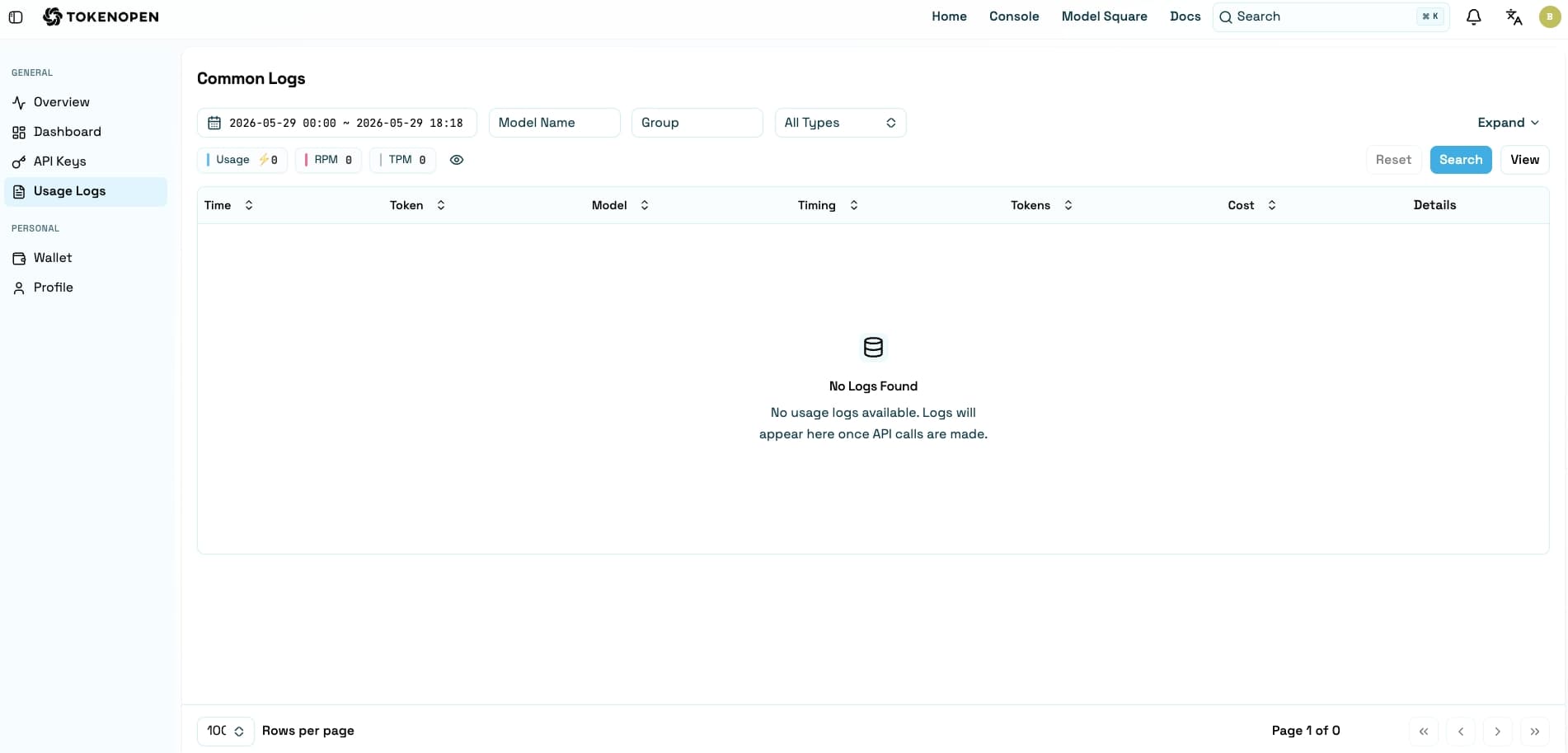
Filter Options
Combine multiple fields to quickly narrow down the records you need:
| Filter | Description |
|---|---|
| Time Range | Specify the start and end times for the query |
| Model Name | Filter records by a specific model |
| Key Name | Filter by the API key used for the call |
| Group | Filter by the group the token belongs to |
| Call Type | Distinguish between Chat, Embeddings, Image, and other call types |
Log Fields
Each call record contains the following information:
| Field | Description |
|---|---|
| Time | Timestamp when the API request was received by the server |
| Usage | Quota or credits consumed by this call |
| Model | The model used in this call |
| Duration | Total time from receiving the request to completing the response (ms) |
| Tokens | Total tokens consumed by this call, including both input and output |
| Cost | The actual cost incurred by this call |
| Details | Expand to view the full request parameters, response content, and error info |
Viewing Call Details
Click the "Details" button on the right side of any record to expand the full information for that call, including:
- The exact model and parameters used in the request
- Input token count and output token count separately
- HTTP status code and error reason (if the call failed)
- The API key and group associated with the call
High duration values may indicate overly long prompts or elevated model load. Try combining the Duration and Tokens columns to determine whether prompt optimization or request splitting would help.
For aggregated statistics and visual trend analysis across all calls, go to Usage Stats.
Last updated on